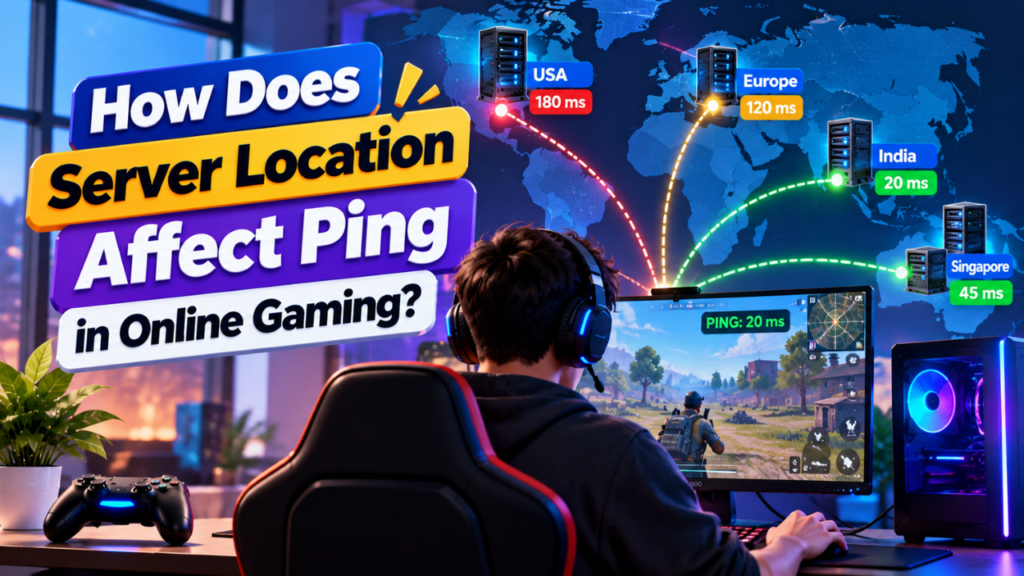
Server location can have a direct effect on ping because network data has to travel between the player’s device and the game server. A server that is geographically closer to a player will often require a shorter network path.
For multiplayer games, this matters because player actions and server responses continuously travel between the client and server. Longer or less efficient routes can increase the time required for this communication.
However, distance is not the only factor. Internet routing, ISP connectivity, network congestion, peering, and data center quality can also change the final ping.
This is why two servers at similar distances can sometimes produce noticeably different ping results.
How Does Server Location Affect Ping?
When you connect to a game server, your network traffic travels through multiple networks before reaching the server.
A simplified connection looks like:
Player → ISP → Internet Network → Data Center → Game Server
The server then sends the response back through the network:
Game Server → Data Center → Internet Network → ISP → Player
The time required for this communication contributes to network latency, which is commonly represented by ping.
Generally, a longer physical and network path creates more opportunities for latency to increase.
Why Does Distance Increase Ping?
Internet traffic travels through physical network infrastructure such as fiber optic cables and network equipment.
It cannot travel instantly from your device to a distant server.
For example, consider a player in India:
India → India Server
The connection may use a relatively short regional route.
Now compare it with:
India → Europe Server
The traffic must travel across a much longer international route.
And:
India → North America Server
The route can be longer still, depending on the player’s ISP and network path.
This is why a nearby game server will often produce lower ping than a distant one.
However, these are general patterns rather than guaranteed values.
Does Physical Distance Determine Ping?
No.
Physical distance is an important factor, but ping depends on the actual network path.
Two servers can be located at similar geographical distances while producing different latency.
For example:
| Server | Distance | Network Quality | Possible Result |
| Server A | Closer | Good routing | Low ping |
| Server B | Closer | Poor routing | Higher ping |
| Server C | Farther | Excellent routing | Competitive ping |
| Server D | Farther | Congested route | High ping |
This means you should consider network routing and connectivity, not just the physical distance shown on a map.
How Does Internet Routing Affect Ping?
Your data does not necessarily travel in a straight geographical line.
Your ISP decides how traffic reaches the destination, often using routes through other networks and providers.
A simplified example could look like:
Player → ISP → Transit Network → Peering Point → Data Center → Server
If the route is inefficient, traffic may travel through additional networks or take a less direct path.
This can increase latency even when the server looks relatively close geographically.
That is why two players in the same country can sometimes get different ping values when connecting to the same game server.
How Does ISP Affect Game Server Ping?
Your Internet Service Provider plays an important role in the route between your device and the game server.
Two players living in the same city may use different ISPs and get different ping results.
For example:
Player A → ISP A → Server
Player B → ISP B → Server
ISP A may have a more direct connection to the data center, while ISP B may use a longer route.
As a result, Player A could have lower ping even though both players are located in the same area.
What Is the Difference Between Distance and Network Latency?
Distance refers to how far the server is geographically located from the player.
Latency refers to the time required for network communication.
They are related, but they are not identical.
A nearby server can have higher latency if its network route is poor.
A somewhat farther server can sometimes provide better latency if it has excellent connectivity and a more efficient route.
Therefore:
Server Distance → Influences Potential Latency
Network Route → Determines Actual Latency
How Does Server Location Affect Ping in Multiplayer Games?
In multiplayer games, the server usually handles important game state communication between connected players.
Depending on the game, this can include:
- Player movement
- Position updates
- Combat actions
- Game events
- World updates
- Player interactions
When latency is high, there can be a longer delay between a player’s action and the server’s response.
For fast paced multiplayer games, stable and low latency is particularly important.
However, the effect of latency varies by game type, network conditions, and game architecture.
What Happens When the Server Is Too Far Away?
A distant server does not automatically make a game unplayable, but higher latency can make the connection less responsive.
Players may notice:
- Delayed responses
- Input delay
- Delayed player movement
- Hit registration delays
- Rubber banding
- More noticeable network interruptions
These symptoms can also be caused by packet loss, jitter, server performance problems, or network congestion.
Therefore, high ping should not automatically be blamed on server distance.
How Does Ping Change Between Server Locations?
Imagine a player in India testing three possible server locations.
| Server Location | Expected Trend |
| India | Usually lowest or among the lowest |
| Singapore | Often higher than a nearby Indian server |
| Europe | Usually higher |
| North America | Usually much higher |
These are general expectations, not guaranteed measurements.
The actual result depends on the player’s ISP, routing, data center, and current network conditions.
This is why real world testing is better than choosing a location based only on geography.
Does a Nearby Server Always Provide Better Ping?
No.
Suppose two game servers are available:
Server A: Geographically closer but poorly connected.
Server B: Slightly farther but connected through a better route.
Server B may produce lower and more stable ping.
Other factors can include:
- ISP peering
- Transit providers
- Network congestion
- Data center connectivity
- Routing changes
- Regional outages
The goal is not simply to find the closest server. It is to find the best connected server for your players.
How Can You Check Ping to a Game Server?
You can use several tools to test network latency.
Ping Test
A basic ping test sends network packets to a destination and measures the response time.
It can provide a quick indication of latency.
Traceroute
Traceroute shows the network hops between your device and the destination.
It can help identify where latency increases along the route.
MTR
MTR combines aspects of ping and traceroute and can provide repeated information about network behavior along the route.
In Game Network Statistics
Many games provide network statistics such as ping, packet loss, or connection information directly inside the game.
For actual gameplay, in game measurements can be particularly useful because they reflect the connection to the game service itself.
How Should You Test Different Server Locations?
If you are choosing between multiple locations, test each one from the regions where your players are located.
A simple process is:
- Select the available server locations.
- Test each location from the target player regions.
- Record average ping.
- Check packet loss.
- Compare latency stability.
- Check routing when needed.
- Test the actual game connection.
- Choose the location with the best overall results.
Do not rely on a single ping test.
Testing at different times can also provide a better picture because network conditions can change.
Does Server Location Affect Ping More Than Server Hardware?
For network latency, server location and network connectivity are generally more relevant than raw CPU or RAM performance.
A powerful server can still have high ping if players are connecting through a long or inefficient network route.
On the other hand, a well-connected server with moderate hardware can provide low network latency while still struggling with CPU or RAM limitations.
This creates an important distinction:
| Factor | Mainly Affects |
| Server Location | Network path and potential latency |
| Network Routing | Actual latency and stability |
| CPU | Server processing |
| RAM | Server workload capacity |
| Storage | Data access and loading |
| Bandwidth | Traffic capacity |
| Packet Loss | Data delivery reliability |
A good gaming experience requires both reliable networking and sufficient server resources.
How Can You Reduce Ping by Choosing a Better Location?
Start with the location where most of your players are based.
For example:
Mostly Indian Players → Test Indian Locations
Mostly European Players → Test European Locations
Mostly US Players → Test US Locations
Mixed Player Base → Compare Several Regional Locations
Then test the actual network connection rather than assuming the closest location will always be best.
For larger communities, separate regional game servers may provide better latency for players spread across different continents.
Does Server Location Affect Ping for All Players Equally?
No.
Players connecting to the same server can have very different ping values.
For example:
| Player | Region | Possible Ping Trend |
| Player A | Near Server | Lower |
| Player B | Same Country | Moderate |
| Player C | Neighboring Region | Higher |
| Player D | Distant Continent | Much Higher |
The player’s ISP and route to the server also influence the result.
This is why a server that works extremely well for one community may not be ideal for another.
FAQs
Does server location affect ping?
Yes. Server location can affect ping because it influences the physical and network distance that data must travel between the player and the game server.
Is a closer server always better?
No. Network routing, ISP connectivity, congestion, and data center quality can make a farther server perform better.
Why do two players get different ping to the same server?
Their ISPs, network routes, local networks, and connectivity to the data center can be different.
Does server location affect gaming lag?
It can affect network related latency, but not every type of lag. CPU limitations, RAM usage, packet loss, plugins, mods, and server configuration can also cause lag.
How can I find the best server location?
Test available locations from the regions where your players are located. Compare ping, packet loss, routing, and connection stability.
Can changing server location lower ping?
Yes. Moving the game server closer to your main player base or choosing a better connected data center can reduce network latency.
Is ping the same as latency?
Ping is commonly used to describe measured network round trip time, while latency is the broader concept of delay in communication. In gaming discussions, the terms are often used interchangeably.
Does server hardware affect ping?
Server hardware primarily affects server processing and performance. Network location and routing are more directly related to network latency
Conclusion
Server location can significantly affect game server ping because network data has to travel between the player and the server. A shorter or more efficient network path will often result in lower latency.
However, physical distance is only one part of the equation. ISP connectivity, routing, peering, congestion, packet loss, and data center network quality can all influence the final result.
The best approach is to test real connections from your target player regions. Compare ping, routing, packet loss, and stability instead of choosing a server location based only on geographical distance.
For multiplayer gaming, the goal is simple: choose a well connected server location that provides low and stable latency for the majority of your players.