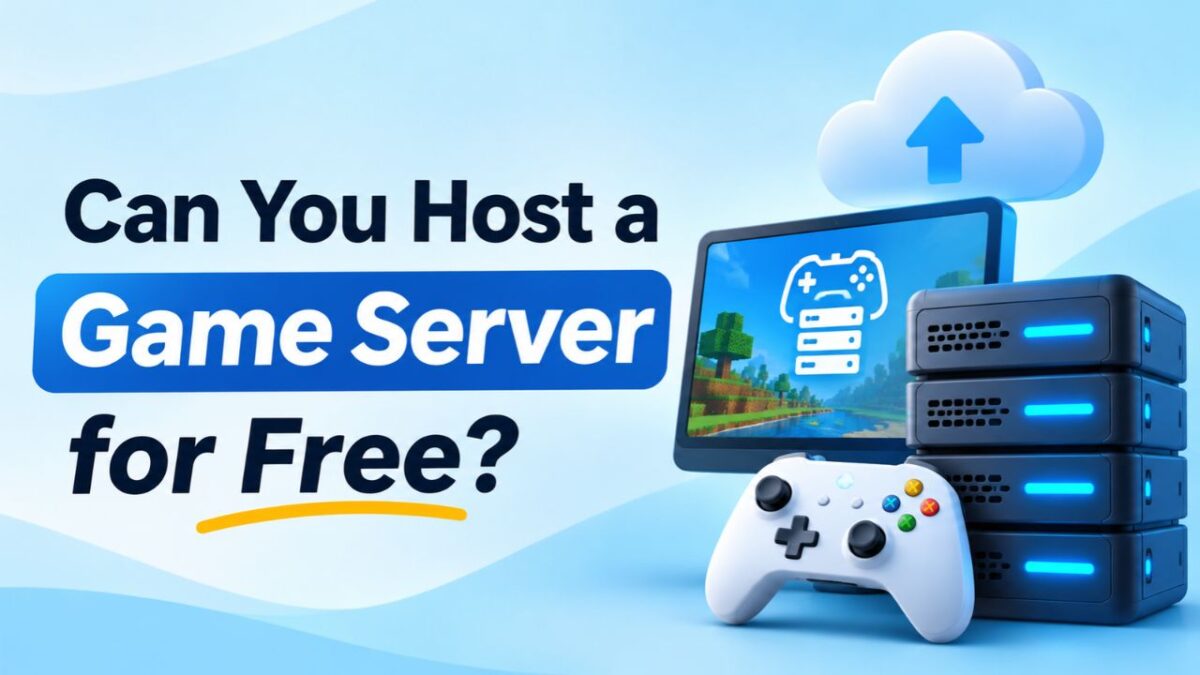
You don’t always need a paid hosting plan to create a multiplayer game server. Several games allow you to run dedicated server software on your own computer, while some platforms provide free hosting plans or temporary cloud resources.
However, free hosting comes with certain limitations. Your computer needs enough processing power, memory, and a stable internet connection. Free hosting platforms may also restrict player slots, storage, server uptime, or available resources.
So, can you actually host a game server without spending money? Yes. The best method depends on the game, the number of players, and how long you want the server to stay online.
Can You Host a Game Server for Free?
Yes, you can host a game server for free using your own computer, community hosting platforms, eligible cloud resources, or free trials from hosting providers.
The important difference is that free server software and free server hosting are not the same thing.
For example, Minecraft provides server software that you can download without paying for the software itself. But running that server still requires a computer, electricity, internet access, and enough hardware resources.
Here are the main ways to host a game server without paying a monthly hosting fee:
| Free Hosting Method | What You Need | Main Limitation |
| Own PC | Computer and internet | PC must remain online |
| Free hosting platform | Account and supported game | Limited resources |
| Free cloud resources | Eligible cloud account | Usage restrictions |
| Community hosting | Existing gaming community | Limited control |
| Free hosting trial | Eligible account | Temporary access |
For a small group of friends, these options can work well. A larger gaming community will usually need more resources and reliable infrastructure.
5 Ways to Host a Game Server for Free
You have several options, but each works differently. Some give you complete control over the server, while others handle the infrastructure and restrict what you can change.
1. Host a Game Server on Your Own PC
Using your own computer is one of the simplest ways to start a free game server.
You don’t need to rent a VPS or purchase a dedicated machine. Instead, install the game’s dedicated server software and allow other players to connect to it.
The basic requirements include:
- A computer with a suitable CPU.
- Enough RAM for the game and operating system.
- Available storage for game files and world data.
- A stable internet connection.
- Access to router and firewall settings.
- The game’s dedicated server software.
For example, you can download Minecraft Java Edition server software, create a world, configure the server properties, and allow friends to join.
Advantages:
- No monthly hosting subscription.
- Complete control over server settings.
- Freedom to install supported mods and plugins.
- Useful for testing and private multiplayer sessions.
Limitations:
- Your computer must remain switched on.
- Other applications can compete for resources.
- Your internet connection affects player experience.
- Power cuts or internet outages can disconnect everyone.
- Exposing your home network requires careful security configuration.
This method works particularly well for temporary gaming sessions and small private communities.
2. Use Free Game Server Hosting Platforms
Some hosting platforms offer free plans for selected multiplayer games.
Instead of configuring a server machine yourself, you create an account, select a supported game, and use the platform’s interface to start your server.
The setup is generally easier than self hosting because the platform handles much of the initial infrastructure work.
Free hosting platforms may provide:
- A web based control panel.
- Basic server configuration.
- Limited RAM and CPU resources.
- A restricted number of player slots.
- File management tools.
- Server start and stop controls.
However, free plans often have conditions. Some automatically stop inactive servers, while others use waiting queues or restrict the number of hours you can play.
Before selecting a platform, check whether it supports your game version, mods, plugins, and required server settings.
3. Use Free Cloud Hosting Resources
Cloud providers sometimes offer free computing resources, trial credits, or limited free usage.
You can use an eligible cloud instance to install game server software and run a multiplayer environment.
The process is similar to setting up a VPS:
- Create an account with a cloud provider.
- Check the available free computing resources.
- Select a compatible operating system.
- Create a virtual machine if your account allows it.
- Install the required game server software.
- Configure network access and firewall rules.
- Start the server and test player connections.
Cloud hosting gives you more control than many beginner oriented free game hosting platforms.
However, free cloud resources are not necessarily designed for continuous game server workloads.
Watch out for these restrictions:
- Limited CPU and RAM.
- Monthly usage quotas.
- Storage limitations.
- Network transfer restrictions.
- Trial credit expiration.
- Charges for resources outside the free allowance.
Read the billing conditions carefully. A cloud account can generate charges if you use services beyond its free limits.
4. Use Community Hosted Game Servers
You don’t always need to create a separate server to play multiplayer games.
Many gaming communities operate their own servers and invite other players to join.
For example, Minecraft communities may run public survival worlds, creative servers, or modded multiplayer environments.
Joining an existing community can save you the cost and technical work of maintaining your own server.
Advantages:
- No server hosting payment.
- No need to install server software.
- Access to an existing player community.
- Server maintenance is handled by administrators.
Limitations:
- You don’t own or control the server.
- Administrators decide the rules and settings.
- Mods and plugins may be restricted.
- The server can close or change its policies.
This option is best when your main goal is playing with other people rather than managing your own gaming environment.
5. Use Free Trials From Game Hosting Providers
Some game hosting companies offer temporary trials, promotional credits, or limited time access to their services.
These offers let you test a paid hosting environment without paying the regular monthly price during the eligible trial period.
You may receive access to features such as:
- A game server control panel.
- Dedicated server resources or allocated virtual resources.
- Game installation tools.
- File management.
- Backup options.
- Technical support, depending on the offer.
The main limitation is duration. Once the trial expires, you may need to purchase a plan to keep your server running.
Before activating an offer, check the following:
- Trial duration.
- Available hardware resources.
- Supported games.
- Payment details required.
- Automatic renewal conditions.
- Cancellation procedure.
- What happens to your server files after expiration.
A free trial is useful for evaluating a provider, but it isn’t a permanent free hosting solution.
How to Host a Game Server for Free on Your PC
If you want complete control without paying a hosting company, you can use your own computer.
The exact installation process depends on the game. However, most dedicated game server setups follow a similar procedure.
Step 1: Choose a Multiplayer Game
First, select a game that provides dedicated server software or supports self hosting.
Minecraft, Terraria, Valheim, and several other multiplayer games offer ways to run your own server.
Check the official documentation for supported operating systems and hardware requirements.
Step 2: Download the Server Software
Visit the game’s official website or trusted distribution platform and download the dedicated server files.
Avoid downloading server packages from unknown websites. Modified or unofficial files can introduce security risks.
Step 3: Check Your PC Resources
Before starting the server, make sure your computer has enough resources.
Check:
- CPU performance.
- Available RAM.
- Free storage.
- Operating system compatibility.
- Internet upload speed.
Remember that your PC must run both the game server and any other applications you want to use.
Step 4: Install the Server Files
Extract or install the downloaded server package according to the game’s instructions.
Some games require additional dependencies, such as a particular Java version or runtime environment.
Follow the official installation instructions rather than using random configuration commands from unverified sources.
Step 5: Configure Game Settings
Open the server configuration files and adjust the settings.
Common options include:
- Server name.
- Maximum player count.
- Game mode.
- Difficulty.
- World settings.
- Password or access restrictions.
- Server port.
Save your changes before starting the server.
Step 6: Configure Firewall Rules
Your operating system’s firewall may block incoming player connections.
Allow the specific game server application or required network ports. Only open the ports necessary for your game.
Don’t disable the firewall completely just to make the server accessible.
Step 7: Configure Router Port Forwarding
If players outside your local network need to connect directly, you may need to configure port forwarding on your router.
The process generally involves:
- Opening your router’s administration panel.
- Finding the port forwarding section.
- Entering the game server’s local IP address.
- Adding the required game server port and protocol.
- Saving the configuration.
The required ports differ between games. Some servers use UDP, others use TCP, and some use both.
Also, direct connections may not work if your internet provider uses carrier-grade NAT (CGNAT). In that situation, you may need a supported alternative connection method or a public IP service.
Step 8: Start the Game Server
Launch the dedicated server application.
Check the console for startup errors and confirm that the server is listening on the expected port.
If the server fails to start, review the configuration, dependencies, and available resources.
Step 9: Share Connection Details
Once the server is running, share the appropriate connection address with your friends.
For players on the same local network, the local IP address may be sufficient. Players connecting from outside your network generally need a reachable public address or another supported connection method.
Avoid sharing your home IP publicly with people you don’t trust.
Step 10: Test the Server
Connect to the server from another device or ask a friend to test it.
Check whether players can join, move around, and play without frequent disconnections.
Keep an eye on CPU, RAM, and network usage while multiple players are connected.
Best Games You Can Host for Free
Several games offer dedicated server software or support self hosting.
Here are some popular choices:
| Game | Free Hosting Method | Important Consideration |
| Minecraft | Self hosting or free platform | RAM and player activity |
| Terraria | Self hosting | Lightweight server setup |
| Valheim | Dedicated server software | CPU and memory |
| Counter-Strike 2 | Dedicated server software | CPU and network |
| Unturned | Self hosting | Configuration and plugins |
| Don’t Starve Together | Supported dedicated server setup | Server configuration |
| Project Zomboid | Self hosting | Memory and world activity |
Minecraft
Minecraft is one of the most accessible games for self hosting.
You can download the official server software, create a world, configure server properties, and invite players.
Free hosting platforms also support Minecraft, although their RAM limits, player slots, and uptime restrictions vary.
Terraria
Terraria’s dedicated server software makes it possible to create a multiplayer world without renting a hosting plan.
It can be a practical option for a small group of friends who want to play together.
Valheim
Valheim provides dedicated server options for multiplayer worlds.
You can run the server on your own computer, but consider CPU, memory, and internet requirements before inviting multiple players.
Counter Strike 2
Counter Strike 2 supports dedicated server hosting.
You can install the required server components and configure the environment yourself. However, a stable network connection and suitable CPU performance are important.
Unturned
Unturned supports dedicated server setups and offers customization options.
You can manage server settings, configure gameplay, and add supported plugins depending on your installation.
Don’t Starve Together
Don’t Starve Together supports dedicated server configurations for multiplayer sessions.
Check the official setup instructions and hardware requirements before selecting your hosting method.
Project Zomboid
Project Zomboid offers dedicated server functionality for multiplayer gameplay.
Larger worlds and active player communities can require additional memory and administration work.
One important distinction applies to all these games: free server software doesn’t mean unlimited free hosting. Your computer, electricity, internet connection, and maintenance still have costs.
Limitations of Free Game Server Hosting
Free hosting can be useful, but its restrictions become more noticeable as your server grows.
Limited RAM and CPU
Free platforms often allocate fewer resources than paid plans.
A small server may run comfortably, but adding players, plugins, or mods can increase resource usage.
When the server runs out of memory or processing capacity, players may experience slowdowns, delayed actions, or crashes.
Player Slot Restrictions
Some platforms limit how many players can connect simultaneously.
This may be enough for a private group, but it can become a problem when your community grows.
Check the player limit before creating a world that you intend to use long term.
Automatic Server Shutdowns
Some free platforms stop servers when nobody is playing.
This helps providers control resource usage, but it means your server may not remain available around the clock.
If your friends expect to join whenever they want, automatic shutdowns can become inconvenient.
High Ping and Network Limitations
Free hosting platforms may offer only a few server locations or have limited network resources.
If the data center is far away from your players, they may experience higher latency.
The same problem can occur when hosting from home with an unreliable internet connection.
Limited Storage
Game worlds, mods, plugins, and backups all consume disk space.
A free plan with limited storage may become insufficient as your world grows.
Before choosing a service, check whether its storage allowance includes backup files or only the active server installation.
No Guaranteed Uptime
Free plans may not provide an uptime commitment or service level agreement.
The platform may experience maintenance, resource restrictions, or unexpected interruptions.
For a private gaming session, this may be acceptable. For a public community, unpredictable downtime can affect the player experience.
Limited Technical Support
Some free platforms rely on community forums, documentation, or automated help.
You may not receive direct assistance when the server fails to start or a configuration problem occurs.
This can be frustrating if you don’t have experience troubleshooting server software.
Is Free Game Server Hosting Safe?
Free game hosting isn’t automatically unsafe. The important thing is to understand who operates the service and how your server is protected.
When selecting a platform or running a server yourself, pay attention to these areas.
- Use Strong Passwords: Protect your hosting account and server administration access with unique passwords.
- Enable Two Factor Authentication: Use 2FA whenever the hosting platform supports it.
- Download Trusted Software: Get server files, mods, and plugins from official or reputable sources.
- Configure Firewall Rules: Expose only the network ports required for your game. Keep administrative services private.
- Update Server Software: Install security patches and supported game updates regularly.
- Create Backups: Keep copies of important worlds, configuration files, and player data in a separate location.
- Review Privacy Policies: Understand how the provider handles account information, server files, and other uploaded data.
- Avoid Unnecessary Permissions: Don’t give unknown applications or individuals access to your hosting account or server administration credentials.
If you’re hosting from home, be particularly careful about exposing your public IP address and router services.
Free vs Paid Game Server Hosting: Key Differences
Free and paid hosting can both run multiplayer games, but the available resources and service conditions are usually different.
| Comparison Factor | Free Hosting | Paid Hosting |
| Monthly cost | Free or limited credits | Recurring payment |
| CPU and RAM | Usually restricted | More plan options |
| Player capacity | Often limited | Higher capacity options |
| Storage | Limited | More capacity available |
| Server uptime | May be restricted | Often more consistent |
| Technical support | Limited or community based | Provider support options |
| Customization | May be restricted | Usually more flexibility |
| DDoS protection | Depends on platform | Depends on provider and plan |
| Best for | Testing and small groups | Long term communities |
Paid hosting doesn’t guarantee perfect performance or uninterrupted availability. The quality of the hardware, network, provider, and support still matters.
The main advantage is having access to plans with more resources and fewer restrictions, depending on the provider.
When Should You Switch From Free to Paid Game Hosting?
Free hosting can be enough when you’re learning, testing, or playing with a few friends.
However, there comes a point when its limitations start affecting the server.
Consider moving to paid hosting when:
- More players join regularly: Your current plan may not have enough resources for the growing community.
- RAM usage stays high: Frequent memory shortages can affect server stability.
- Performance problems become common: Slowdowns and crashes may indicate that the free plan has reached its limits.
- The server keeps shutting down: Automatic shutdowns can make it difficult for players to join whenever they want.
- You need custom configurations: Some free platforms restrict plugins, mods, software versions, or administrative access.
- You want regular backups: A paid plan may offer more convenient backup and restoration options.
- You need better support: Direct technical assistance can save time when something goes wrong.
You don’t have to upgrade just because paid hosting is available. Make the switch when the current service no longer meets your requirements.
How to Choose an Affordable Game Server Hosting Plan?
Once free hosting becomes insufficient, compare paid plans carefully. The cheapest option isn’t necessarily the best value.
1. Check CPU Performance
Look at the processor model and available processing resources. Game servers can be sensitive to CPU performance, particularly during busy gameplay.
2. Confirm Available RAM
Choose enough memory for the game, players, mods, plugins, and operating system.
3. Choose Suitable Storage
SSD or NVMe storage can help with file access, world loading, and backup operations. Check both storage capacity and drive type.
4. Select a Nearby Server Location
Choose a data center close to your main player base to reduce unnecessary network distance.
5. Review Bandwidth and Network Quality
Check the provider’s bandwidth policy, network capacity, and any transfer restrictions.
6. Check DDoS Protection
Make sure the provider offers protection appropriate for your game’s network traffic.
7. Compare Backup Options
Look for clear backup schedules, retention policies, and restoration procedures.
8. Review Technical Support
Check support availability and whether the provider helps with game server installation or only infrastructure issues.
9. Check Renewal Pricing
Look beyond promotional prices. Compare the regular monthly cost, renewal charges, and additional service fees.
FAQs
Can you host a game server without paying?
Yes. You can host a game server using your own PC, free hosting platforms, eligible cloud resources, or community hosted services. Each option has different limitations.
What is the best free game server hosting?
There isn’t one best option for every game. The right platform depends on supported games, available RAM, CPU resources, player limits, uptime, and customization options.
Can I host a game server on my own PC?
Yes. Install the game’s dedicated server software, configure the required settings, and allow players to connect. Your PC must remain switched on while the server is running.
Is free Minecraft server hosting safe?
It can be safe when you use a reputable provider and follow basic security practices. Check account protection, software sources, privacy policies, and backup options.
Can I host a game server 24/7 for free?
Yes, in some situations. You can run a server continuously on your own computer or use eligible cloud resources. However, electricity, internet reliability, usage limits, and hardware availability can affect uptime.
How many players can join a free game server?
There is no universal limit. The number depends on the game, available CPU and RAM, hosting platform restrictions, and server configuration.
Do free game servers have lag?
They can. Limited resources, network congestion, distant server locations, and high player activity can contribute to lag. However, free hosting doesn’t automatically mean poor performance.
Is free game server hosting reliable?
It can be sufficient for testing and small private groups. However, many free services don’t provide guaranteed uptime, priority support, or the same resource availability as paid plans.
Can I use a free cloud server for gaming?
Yes, if the cloud provider’s free resources meet your game’s requirements and allow the intended workload. Check usage quotas, network policies, and possible charges before starting.
When should I switch to paid game hosting?
Consider upgrading when you need more RAM, CPU resources, player slots, stable availability, custom configurations, or better technical support than your free service provides.
Conclusion
You can host a game server for free using your own PC, free hosting platforms, cloud resources, or community services. These options are useful for learning, testing configurations, and playing with a small group of friends.
However, limited CPU and RAM, automatic shutdowns, restricted storage, and inconsistent availability can become problems as your gaming community grows.
Start with a free option if it meets your requirements. When you need more resources, greater control, and reliable long term availability, compare affordable paid hosting plans.
The best choice isn’t always the one that costs nothing. It’s the one that lets your players enjoy the game without unnecessary interruptions.