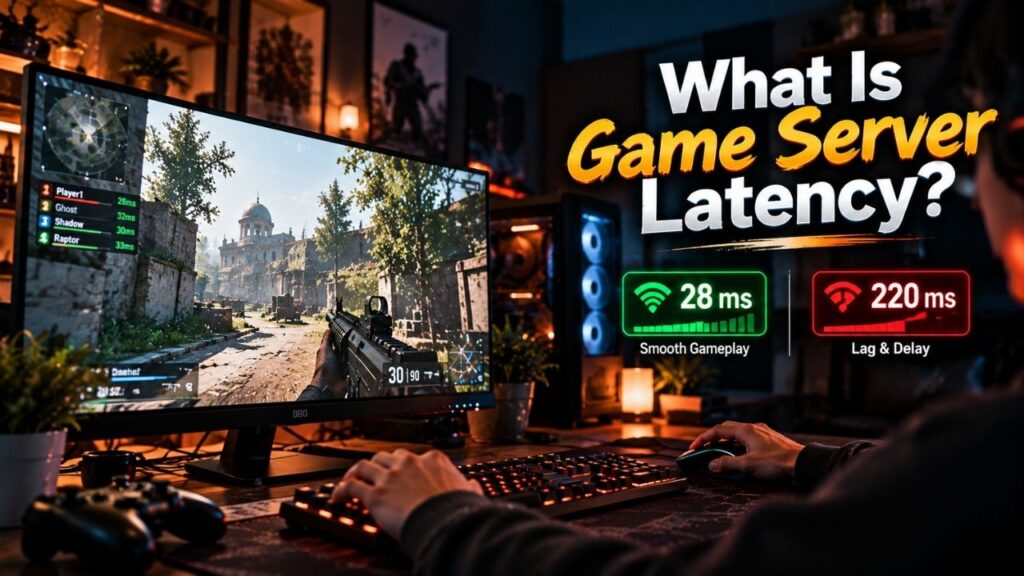
Online gaming depends on constant communication between your device and a game server. Every movement, command, hit, and other gameplay action may require data to travel across a network before the server processes it and sends information back. The delay involved in this communication is known as game server latency.
Latency is normally measured in milliseconds (ms). A lower delay generally means faster communication between the player and server, while higher latency can make gameplay feel less responsive.
Understanding latency helps explain why the same game can feel smooth on one server but delayed on another. Factors such as server location, network routing, connection quality, and congestion can all influence the time required for data to travel between the player and server.
What Does Game Server Latency Mean?
Game server latency is the amount of time required for data to travel between a player’s device and the game server.
In a multiplayer game, your computer or console does not independently control the entire game world. The game client sends information to the server, and the server processes that information as part of the shared game state.
For example, imagine you press a button to move your character forward. Your device sends that input through the network to the game server. The server receives and processes the information, then communicates updated game state information back to connected players.
The network delay involved in this communication is part of what players experience as latency.
Latency is measured in milliseconds. One millisecond equals one thousandth of a second, so network delays are often small enough to be measured in tens or hundreds of milliseconds.
A simple way to think about it is:
Player device → Network → Game server → Network → Player device
The longer this communication takes, the more noticeable the delay can become during real time gameplay.
How Game Server Latency Works
Game server latency is closely connected to the movement of data across a network.
Suppose you are playing a multiplayer game on a server located in another region. Your game client sends packets containing relevant gameplay information toward that server. Those packets travel through your local network, internet service provider, routers, and other network infrastructure before reaching the destination.
The server then handles the received information and continues running the game simulation. Updated information is sent across the network to players.
Several stages can contribute to the overall delay:
| Stage | What Happens |
| Player input | You perform an action in the game |
| Data transmission | The client sends relevant information |
| Network routing | Data travels through network infrastructure |
| Server processing | The game server handles the information |
| Response transmission | Updated information travels back |
| Client update | Your game displays the latest state |
The exact communication process varies between games. Some games use different networking models, update frequencies, prediction techniques, and server architectures. Therefore, latency does not behave identically across every title.
What Happens With High Latency?
High latency creates a larger delay between an action and the corresponding information reaching the game server and returning to the player.
The effect depends heavily on the type of game.
In a fast competitive shooter, a delay can make aiming, movement, shooting, and hit registration feel less immediate. In a slower paced multiplayer game, the same amount of latency may be less noticeable.
Common symptoms can include:
- Delayed response to player actions
- Characters appearing to move behind real time inputs
- Actions taking longer to register
- Players appearing to jump or move unexpectedly
- Less responsive multiplayer interactions
- Difficulty timing fast actions accurately
High latency does not automatically mean the game server itself is slow. The delay can exist somewhere between the player’s device and the server.
That distinction matters because network latency and server performance are different things.
A powerful game server cannot completely remove network delay caused by a player’s connection, physical distance, or inefficient routing.
What Causes Game Server Latency?
There is no single cause behind latency. Several network and infrastructure factors can contribute to the delay.
Server Location
Physical distance matters because data generally has to travel across a network between the player and server.
A player connecting to a nearby server region will often have a shorter network path than someone connecting to a server located much farther away.
For example, a player in India connecting to a nearby Asian server may experience a different network delay than connecting to a server in North America or Europe.
Server location is therefore an important consideration in multiplayer hosting.
Network Routing
Internet traffic does not necessarily travel through the shortest geographical path.
Routers and network providers determine how traffic moves between networks. Different routes can have different numbers of network hops, congestion levels, and infrastructure characteristics.
As a result, two servers at a similar physical distance can sometimes produce different latency for the same player.
Internet Connection
The quality and stability of the player’s internet connection can also affect communication with the game server.
Wi-Fi interference, local network congestion, overloaded equipment, ISP issues, and other network conditions can introduce additional delay.
A fast internet package does not automatically guarantee low game latency.
Network Congestion
Heavy traffic can increase delays across parts of a network.
Congestion may occur within a home network, an ISP network, a data center, or somewhere along the route between the player and the server.
The result can be increased response time or an unstable connection.
Server Side Conditions
The server itself also matters, but server processing performance should not be confused with pure network latency.
A heavily loaded server may struggle to process game logic on time. That can create gameplay problems even if the network path between the player and server is relatively good.
This is one reason game server performance involves more than a single metric.
Latency vs Ping: What Is the Difference?
Latency and ping are closely related terms, and gamers often use them interchangeably. They are not always identical in technical discussions.
Latency generally refers to the delay involved in transferring data between endpoints.
Ping is commonly used to describe a network measurement that sends a request to a destination and measures the response time. The result is usually expressed in milliseconds.
In everyday gaming conversations, a player’s displayed “ping” is often treated as an indicator of their network latency to the game server.
| Term | Basic Meaning |
| Latency | Delay involved in network communication |
| Ping | A measurement commonly used to estimate network response time |
| Unit | Usually milliseconds (ms) |
| Gaming use | Helps indicate network responsiveness |
The exact metric shown by a particular game can depend on how its networking system measures and reports connection performance.
Latency vs Bandwidth
Latency and bandwidth describe different aspects of a network connection.
Latency is about delay.
Bandwidth describes the amount of data that a connection can transfer over a given period.
A connection can have high bandwidth but still experience noticeable latency. For example, upgrading to a faster internet plan does not necessarily make a distant game server physically closer or change every part of the network route.
Likewise, a game server does not necessarily require enormous bandwidth for every individual player simply because the game needs low latency.
A simple comparison looks like this:
| Factor | Latency | Bandwidth |
| Measures | Communication delay | Data transfer capacity |
| Common unit | Milliseconds (ms) | Mbps or Gbps |
| Main concern | Responsiveness | Amount of data transferred |
| Gaming impact | Timing and responsiveness | Ability to handle network traffic |
Both can matter, but they solve different networking problems.
How Latency Affects Online Games
The importance of latency depends on the game’s design and the type of interaction taking place.
Fast-paced multiplayer games are particularly sensitive to network delay because gameplay decisions often happen within fractions of a second.
Consider a competitive shooter. You see another player, aim, and fire. Your input has to reach the server, and the server has to incorporate the relevant information into the shared game state.
With additional network delay, the experience can feel less immediate.
Strategy games, cooperative survival games, MMORPGs, and other genres can also be affected, although the practical impact may differ.
Latency is therefore best understood as a responsiveness factor, rather than a universal measurement of whether a game server is good or bad.
What Is Considered Good Game Server Latency?
There is no single latency number that guarantees a good gaming experience for every game.
As a general rule, lower latency means less network delay. However, the practical experience depends on the game’s networking system, server architecture, connection stability, and the type of gameplay involved.
A rough reference can look like this:
| Latency | General Experience |
| Under 20 ms | Very low network delay |
| 20–50 ms | Low delay |
| 50–100 ms | Usually usable for many games |
| 100–150 ms | Noticeable delay may appear |
| 150+ ms | Delay can become increasingly noticeable |
These ranges should not be treated as universal technical standards. Different games and players can tolerate different levels of latency, and a stable connection can sometimes feel better than a connection with a lower average that frequently fluctuates.
For competitive gaming, players often aim for the lowest practical and most stable latency available to them.
Can Game Server Latency Be Reduced?
Latency cannot always be eliminated because some network delay is unavoidable.
Physical distance, network infrastructure, routing, and the player’s ISP all influence the path between a device and a server.
However, several choices can help avoid unnecessary latency:
- Select a game server region close to the majority of players.
- Use a reliable wired connection where practical.
- Reduce unnecessary traffic on the local network.
- Choose a hosting provider with suitable network connectivity.
- Keep the game server and its network infrastructure properly configured.
- Compare actual network performance instead of judging a server only by its advertised bandwidth.
For hosted game servers, choosing an appropriate data center location can be particularly important because the server’s location directly influences the network path available to players.
Latency reduction is a broader topic involving routing, server location, connection quality, and network optimization, so those areas are best evaluated separately rather than treating latency as a single server specification.
FAQs
Is game server latency the same as lag?
Not exactly. Latency is a network delay measurement or concept, while lag is a broader gaming symptom that can result from network problems, server performance issues, client performance, or other causes.
Is lower latency always better?
Lower latency generally means less network delay, which is beneficial for responsive multiplayer gameplay. Stability also matters, so a consistent connection can be more useful than a connection that occasionally reaches a very low value but frequently fluctuates.
Does higher internet speed reduce game server latency?
Not necessarily. A higher bandwidth connection can increase data transfer capacity, but it does not automatically reduce the physical distance to a game server or improve every part of the network route.
Does server location affect latency?
Yes. Physical distance and the network route between the player and server can influence the amount of delay involved in communication. A suitable server region can therefore help reduce unnecessary network latency.
Why can two players have different latency on the same server?
Players may use different ISPs, physical locations, network routes, home networks, and connection types. As a result, their paths to the same game server can produce different latency measurements.
Can a powerful game server eliminate latency?
No. Server hardware can affect game processing performance, but it cannot eliminate network delay caused by distance, routing, or the player’s connection.
Conclusion
Game server latency is the delay involved in communication between a player’s device and the game server. It is usually measured in milliseconds and plays an important role in how responsive an online game feels.
Several factors can influence latency, including server location, network routing, connection quality, congestion, and conditions across the network path. Server processing performance is related to the overall gaming experience, but it is not the same thing as network latency.
For players and game server owners, the practical goal is not simply to chase a single number. A nearby server, reliable network connection, sensible routing, and consistent performance all contribute to a smoother multiplayer experience. Understanding latency first makes it much easier to diagnose the networking problems that can affect online gaming.