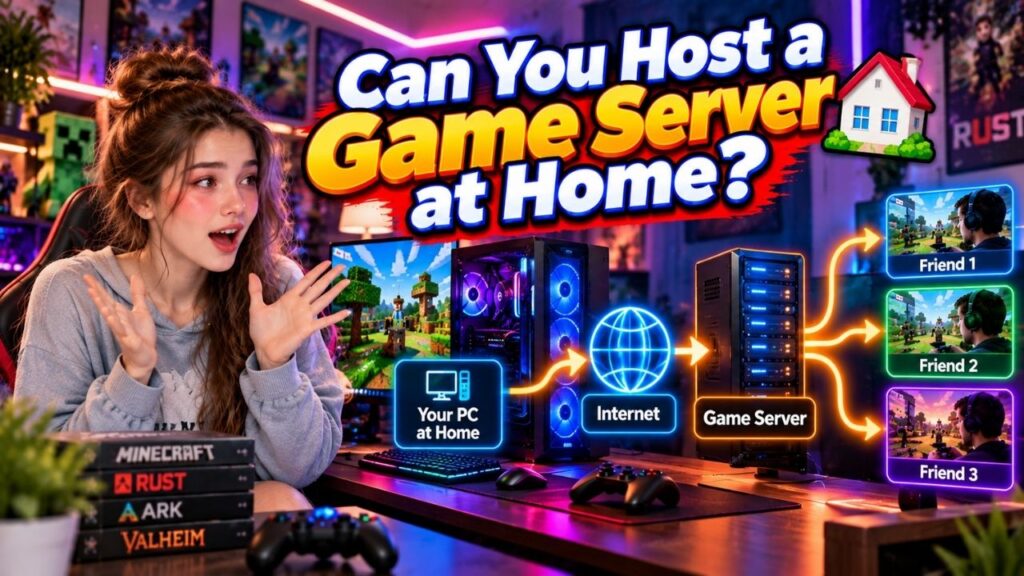
Yes, you can host a game server at home, provided the game supports server hosting and your computer, network, and internet connection can handle it.
The basic idea is simple. You install the game’s server software on a computer at home, keep that machine connected to the internet, and allow other players to connect to it. Your computer then acts as the server instead of using a third party game hosting provider.
Home hosting can work well for a small group of friends, private multiplayer sessions, testing, or learning how game servers work. However, your own hardware, internet connection, power supply, and network setup become part of the equation.
Before setting one up, it is worth understanding what you actually need and where home hosting can become inconvenient.
Table of Contents
Yes, You Can Host a Game Server at Home
A home computer can run a game server when the game provides compatible server software and your system meets its requirements.
Games such as Minecraft, Rust, ARK, and Valheim support dedicated or privately hosted server setups, although the exact process differs for each title.
You do not necessarily need a separate high-end gaming PC. A spare computer can also be used, depending on the game’s requirements and the number of players you expect to support.
The important part is that the machine running the server needs to remain available whenever you want other players to connect.
What Do You Need to Host at Home?
You need a few basic things before turning a home computer into a game server.
A Suitable Computer
The computer needs enough resources to run the game’s server software. The actual requirement depends on the game, number of players, mods, world size, and other server settings.
A computer that is no longer used for everyday gaming can sometimes work well as a small private server.
Stable Internet
Your server needs a reliable internet connection because players will connect to your home network.
Download speed is not the only consideration. The server also sends data back to connected players, so your connection’s upload capacity matters as well.
Game Server Software
You need the server software provided or supported by the particular game.
This software is different from the normal game client you use to play. The server version is designed to run the multiplayer environment and communicate with connected players.
Network Access
Players outside your home network need a way to reach the server.
Depending on the game and your network setup, this can involve router configuration and allowing the required network traffic through your firewall.
The exact steps vary by game and network equipment, so you should follow the game’s official server documentation where available.
How Home Game Server Hosting Works
Once the server software is installed, your home computer becomes the machine responsible for running the multiplayer server.
When the server is online, players connect to it using the connection details required by the game.
The server receives information from connected players, processes the game’s server-side logic, and sends the relevant information back. This allows everyone to interact with the same multiplayer environment.
For example, suppose you create a private Minecraft world on your home server. Your friends connect to that server, and the server maintains the shared world while everyone is playing.
Your gaming PC does not have to be the same machine as the server. You can use a separate computer at home if you have one available.
What Can Limit a Home Game Server?
Hosting from home gives you control, but it also means you are responsible for the environment in which the server runs.
Your Computer Must Stay Available
When the computer running the server is shut down, the server normally becomes unavailable.
This can be inconvenient if your friends want to play while you are away or when you are using the computer for something else.
Your Internet Connection Matters
A home internet connection is designed primarily for normal household use. Running a public or frequently used game server adds another workload.
If the connection becomes unavailable, players can lose access to the server.
Power Interruptions Can Stop the Server
A power cut or an accidental shutdown can take the server offline.
This is less of an issue for occasional private sessions, but it becomes more noticeable when players expect the server to be available regularly.
Your Hardware Has Limits
The computer running the server has a finite amount of processing power, memory, and storage.
As the number of players or the complexity of the game world increases, the server may need more resources. Mods and plugins can also change how much hardware the server requires.
Detailed CPU, RAM, and storage requirements depend on the particular game and are best considered separately for the title you plan to host.
Home Hosting vs Game Server Hosting
Both options can run a multiplayer game server, but the responsibility is different.
| Factor | Home Hosting | Game Server Hosting |
| Server machine | Your own computer | Provider’s server |
| Internet | Your home connection | Hosting network |
| Power | Your responsibility | Provider manages infrastructure |
| Availability | Depends on your setup | Depends on provider infrastructure |
| Hardware | You provide it | Included with the hosting plan |
| Maintenance | Mostly handled by you | Provider may handle infrastructure |
Home hosting gives you direct control over the machine. You also have to deal with the hardware, internet connection, power, and network configuration yourself.
With game server hosting, the provider supplies the server infrastructure. Depending on the service, you may also get management tools, backups, monitoring, support, or other features.
When Does Hosting at Home Make Sense?
Home hosting can be a practical choice when you do not need a large public server.
For example, it can make sense for:
- A few friends who play together
- Private multiplayer sessions
- Testing a game server
- Learning how server software works
- A small community with limited requirements
It can also be useful when you already have a spare computer and want to make use of it rather than paying for a hosting plan.
The trade off is that the server depends on your own equipment and connection.
When Should You Consider Game Server Hosting?
A hosted game server becomes worth considering when you want the server environment to be separate from your home setup.
This can be useful when players need access at different times, you do not want to keep a personal computer running continuously, or you want someone else to provide the underlying server infrastructure.
It is also a practical option when managing the hardware, network, power, and maintenance yourself becomes more work than you want to handle.
There is no single option that works for every player. A small private group may be perfectly comfortable hosting at home, while a larger or regularly active community may prefer a dedicated hosting environment.
FAQs
Can I host a game server from my PC?
Yes. You can use a suitable PC to run a game server when the game supports server hosting and your system meets its requirements.
Does my PC need to stay on?
Yes, the computer running the server generally needs to remain powered on and connected to the internet while you want players to access the server.
Can friends join my home hosted game server?
Yes. Friends can connect when the game supports external connections and your home network is configured to allow them.
Do all games support home server hosting?
No. Server hosting depends on the game. Some games provide dedicated server software, while others rely on their own online infrastructure and do not allow players to host servers themselves.
Is home game server hosting free?
It can avoid a separate hosting bill if you already have the required computer and internet connection. However, you still use electricity, hardware, bandwidth, and your own time to maintain the server.
Is hosting a game server at home safe?
It can be done, but exposing a home network service to the internet requires proper security and network configuration. You should only open the connections required by the game and keep the server software and operating system updated.
Conclusion
Yes, you can host a game server at home, and for a small private group, it can be a perfectly practical option.
You need a suitable computer, a stable internet connection, compatible server software, and a network setup that allows your players to connect. The main limitation is that you become responsible for the machine, internet connection, power, and basic maintenance.
Home hosting works particularly well for occasional gaming, private groups, testing, and learning. When you need a server that stays separate from your personal setup or remains available more consistently, game server hosting provides another option.
The right choice ultimately depends on how many people will play, how often the server needs to be online, and how much of the infrastructure you want to manage yourself.