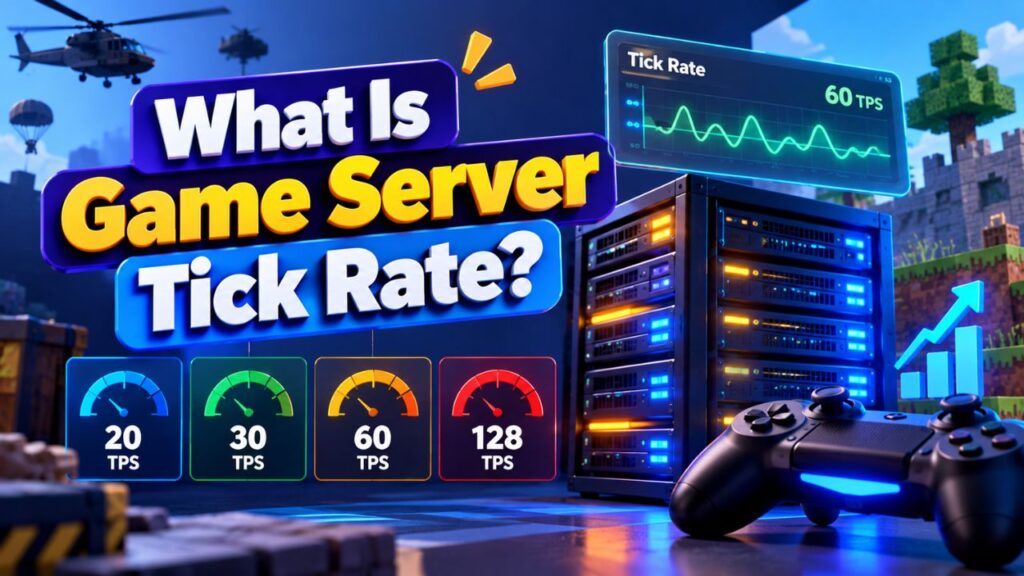
When you play a multiplayer game, the server is constantly processing player movement, actions, physics, AI, and changes happening in the game world. It does this through repeated updates called ticks.
Game server tick rate tells you how many of these updates a server attempts to process every second. For example, a server running at 60 ticks per second processes its game simulation 60 times each second.
Tick rate matters because the server needs to process these updates consistently to keep multiplayer gameplay responsive and synchronized. A server that cannot maintain its target tick rate may struggle under heavy workloads, even when the configured tick rate looks high on paper.
In this guide, you will learn what game server tick rate means, how it works, what 20, 30, 60, and 128 tick rates represent, how tick rate differs from FPS, what causes low server tick rates, and how you can improve server performance.
What Is Game Server Tick Rate?
Game server tick rate is the number of times a game server attempts to update and process its game simulation every second.
Each update is commonly called a tick. Tick rate is generally expressed as ticks per second, or TPS, and is closely related to frequency measured in Hz.
For example:
- 20 TPS means the server targets 20 simulation updates per second.
- 30 TPS means 30 updates per second.
- 60 TPS means 60 updates per second.
- 128 TPS means 128 updates per second.
A higher tick rate gives the server a shorter time interval between simulation updates. At 20 TPS, the theoretical interval between ticks is about 50 milliseconds. At 60 TPS, it is about 16.7 milliseconds.
However, this does not mean that every game automatically performs better at a higher tick rate. The game engine, server software, hardware, networking system, and gameplay design all affect how useful a particular tick rate is.
The important point is simple: tick rate describes how frequently the server updates its simulation.
How Does Game Server Tick Rate Work?
A multiplayer game server has to keep track of what is happening inside the game world.
Depending on the game, a server may need to process:
- Player movement
- Player inputs
- Weapon actions
- Collision detection
- Physics
- NPC and enemy behavior
- Vehicle movement
- World events
- Item interactions
- Game rules
- Damage calculations
- Changes to the game state
The server performs these tasks repeatedly as part of its simulation loop.
Imagine a server configured for 60 ticks per second. Ideally, it has approximately 16.7 milliseconds for each tick before the next update is due.
If the server completes its work within that time, it can maintain the target rate.
If a particular tick takes significantly longer because the CPU is overloaded, the server has too many entities to process, or a plugin is consuming excessive resources, the server may fail to maintain its target rate.
This distinction is important because there is a difference between the configured tick rate and the actual tick rate being maintained under load.
Target Tick Rate vs Actual Tick Rate
A server might be configured to run at 60 TPS, but that does not guarantee that it will always process 60 ticks every second.
For example, suppose a server normally maintains 60 TPS but a large number of players join and create a heavy workload. CPU usage increases and some simulation updates take longer than expected.
The server may then struggle to maintain the target.
This is why server stability matters more than simply choosing the largest tick-rate number available.
What Do 20, 30, 60 and 128 Tick Rates Mean?
Different games and server architectures use different update rates. The numbers below show the theoretical time available for each simulation update.
| Tick Rate | Approx. Time Per Tick | General Meaning |
| 20 TPS | 50 ms | 20 simulation updates per second |
| 30 TPS | 33.3 ms | 30 simulation updates per second |
| 60 TPS | 16.7 ms | 60 simulation updates per second |
| 64 TPS | 15.6 ms | 64 simulation updates per second |
| 128 TPS | 7.8 ms | 128 simulation updates per second |
These figures describe the tick interval, not the amount of work the server can perform.
A 128-TPS server has a much smaller time budget for each tick than a 20-TPS server. That means the underlying server hardware and software must be capable of completing the required work consistently within that shorter interval.
You should also avoid comparing tick rate numbers between games as if they were universal performance ratings. Different engines can process game simulation and networking differently.
Why Does Game Server Tick Rate Matter?
Tick rate matters because multiplayer games need the server to repeatedly update the shared game state.
When the server processes these updates consistently, player actions and changes in the game world can be handled at the expected frequency.
This can affect aspects such as:
- Player movement
- Combat interactions
- Physics
- Vehicle behavior
- NPC actions
- Collision processing
- Game state synchronization
The exact effect depends on the game.
A server that is consistently missing its target tick rate can experience simulation slowdowns or inconsistent behavior. Players may describe the resulting experience as sluggish, delayed, or unstable, although those symptoms can also come from network latency, packet loss, client performance, or other problems.
That is why tick rate should not be treated as the only measurement of multiplayer performance.
Tick Rate vs FPS: What Is the Difference?
Tick rate and FPS are not the same thing.
Tick rate primarily describes how frequently the server simulation is updated. FPS, or frames per second, describes how many visual frames the client device renders each second.
| Tick Rate | FPS |
| Primarily server side | Primarily client side |
| Measures simulation updates | Measures rendered frames |
| Usually discussed as TPS or Hz | Measured in frames per second |
| Depends heavily on server workload | Depends on client hardware, game settings, and rendering workload |
| Affects how frequently server simulation updates | Affects how smoothly the game is visually rendered |
For example, your gaming PC could render a game at 144 FPS while the game server is operating at a much lower update frequency.
The reverse can also happen. A server may maintain its target tick rate while your computer struggles to render the game smoothly because of GPU, CPU, thermal, or graphics settings.
So, high FPS does not automatically mean high server tick rate, and high server tick rate does not automatically mean high FPS.
What Causes a Low Game Server Tick Rate?
A server can fail to maintain its target tick rate for several reasons. In most cases, the problem comes down to the amount of work the server has to process within each tick.
CPU Bottlenecks
CPU performance is often one of the most important factors in server simulation.
If the game server has to process too many calculations and the available CPU resources are insufficient, individual ticks can take longer to complete.
This becomes especially noticeable when the server is handling many players, entities, scripts, or complex game mechanics.
Too Many Players
More players generally mean more activity for the server to process.
Depending on the game, each additional player may introduce movement calculations, inventory changes, combat actions, interactions, network traffic, and other simulation tasks.
A server that performs well with a small group may struggle when the player count increases significantly.
Excessive Mods and Plugins
Mods and plugins can add useful features, but poorly optimized or resource heavy additions can increase server workload.
A single inefficient plugin may sometimes create more problems than several lightweight ones.
This is particularly relevant for games with large modding ecosystems where community developed extensions can vary considerably in quality.
Too Many Entities
Entities can include NPCs, mobs, items, vehicles, projectiles, objects, or other interactive elements, depending on the game.
A large number of active entities can increase the amount of work the server must perform during each simulation update.
For example, an overloaded area containing large numbers of AI-controlled entities may create a performance bottleneck even when the overall player count is reasonable.
Heavy Game Worlds
Large or highly active game worlds can also increase server workload.
The exact impact depends on the game engine and how it handles world simulation, loading, AI, physics, and other systems.
A large map by itself does not necessarily cause low tick rate. The problem usually comes from what the server has to actively process within that world.
Background Processes
Other workloads running on the same machine can compete for CPU, memory, disk, or network resources.
This can be especially important when multiple game servers are hosted on one physical machine.
Insufficient Server Resources
If the server hardware cannot handle the workload, optimization alone may eventually reach its limits.
In that situation, upgrading CPU resources, improving storage performance, or moving to a more suitable server configuration may be necessary.
How to Check Your Game Server Tick Rate
The exact method for checking tick rate depends on the game and server software.
Some games provide an in-game command or server console command that displays TPS or server performance information. Others provide administrative dashboards, performance monitors, or logs.
When checking performance, do not look at tick rate in isolation.
Also monitor:
- CPU usage
- RAM usage
- Player count
- Server load
- Network latency
- Packet loss
- Active entities
- Plugin or mod activity
- Tick time, when available
The most useful test is performed while the server is experiencing a realistic workload.
A server that maintains its target tick rate with two players may behave very differently with 30 or 50 active players.
How to Improve Game Server Tick Rate
If your server cannot maintain its target tick rate, start by identifying the bottleneck instead of immediately upgrading everything.
Check CPU Usage
Start with CPU usage during the period when tick rate drops.
If the server is consistently CPU bound, reducing unnecessary workload or moving to stronger CPU resources may help.
For some games, strong single thread or per-core performance can matter significantly because parts of the game simulation may not scale perfectly across many CPU cores.
The exact CPU requirements depend on the game engine and server software.
Reduce Unnecessary Server Load
Look for activities that the server does not need to process.
You may be able to reduce:
- Excessive entity counts
- Unused game systems
- Unnecessary background services
- Overly aggressive simulation settings
- Unused plugins or mods
The goal is to reduce work without removing features that players actually need.
Review Plugins and Mods
Temporarily disable non-essential plugins or mods and compare server performance.
If tick rate improves significantly after removing a particular component, investigate that component further.
Do not assume that a plugin is harmless simply because it does not appear to use much memory. CPU intensive processing can affect tick performance even when RAM usage looks normal.
Optimize Server Settings
Many games provide server configuration options that control simulation distance, entity behavior, world activity, or other workloads.
Review these settings carefully.
Reducing a demanding setting can sometimes provide a meaningful performance improvement without changing the server hardware.
However, avoid copying configuration values from another game or server without understanding what they control.
Reduce Excessive Entities
If your game allows you to control entity spawning or cleanup, reducing unnecessary entities can lower simulation workload.
This can be particularly useful when large numbers of NPCs, mobs, items, vehicles, or other objects are concentrated in one area.
Use reasonable limits rather than aggressively removing gameplay elements.
Upgrade Server Resources When Needed
If the server remains CPU bound after reasonable optimization, the hardware may simply be insufficient for the workload.
At that point, consider:
- A faster CPU
- More appropriate dedicated CPU resources
- Better server hardware
- NVMe storage where storage performance is relevant
- A hosting plan designed for the game’s workload
More RAM can help when the server is actually running short of memory, but adding RAM alone does not automatically increase tick rate.
What Is a Good Tick Rate for a Game Server?
There is no single tick rate that is best for every game.
The appropriate rate depends on the game’s engine, server architecture, gameplay style, player count, and hardware requirements.
Some games are designed around relatively low simulation rates, while others use higher update frequencies.
Instead of asking only, “What is the highest tick rate?”, ask whether the server can consistently maintain the tick rate expected by that game.
For example, increasing a server from 60 to 128 ticks per second may sound like a major improvement, but it also reduces the available processing time for each tick from about 16.7 milliseconds to about 7.8 milliseconds.
If the hardware cannot consistently handle that workload, the higher target may not provide a practical benefit.
A stable server running at its intended rate is generally more useful than a server configured for a high rate that regularly falls behind.
How Tick Rate Relates to Server Performance
Tick rate is one part of the larger game server performance picture.
A healthy server needs to handle several areas at the same time:
- CPU processing
- Memory usage
- Storage operations
- Network communication
- Game simulation
- Plugins and mods
- Player activity
This means you should not use tick rate as a replacement for broader server monitoring.
For example, a player may experience lag because of high network latency even when the server is maintaining its target tick rate.
Similarly, a server may have a stable network connection but struggle to process game simulation because its CPU is overloaded.
Understanding the difference helps you troubleshoot the actual problem instead of upgrading the wrong resource.
FAQs
Is a higher game server tick rate always better?
No. A higher tick rate means more frequent simulation updates, but the server must have enough processing capacity to maintain that rate consistently. The appropriate value depends on the game and its server architecture.
What is TPS in a game server?
TPS usually means ticks per second. It describes how many simulation updates the server processes or attempts to process each second, depending on the game’s monitoring system.
Is tick rate the same as FPS?
No. Tick rate describes server side simulation updates, while FPS describes how many frames the player’s device renders per second. They are separate measurements.
Does CPU affect game server tick rate?
Yes. CPU performance can have a major effect on tick rate because the server must complete its simulation work within each tick interval. The exact impact depends on the game’s server architecture.
Can more RAM increase server tick rate?
Not necessarily. More RAM can help when the server is running out of memory or experiencing memory related pressure, but RAM alone does not guarantee a higher tick rate.
What causes low TPS?
Low TPS can result from CPU bottlenecks, too many players or entities, heavy mods and plugins, demanding server settings, background workloads, or insufficient hardware resources.
How do I check my server’s tick rate?
The method depends on the game. Check its server console, administrative commands, performance tools, or hosting dashboard for TPS, tick time, or equivalent server performance metrics.
What is the difference between target and actual tick rate?
Target tick rate is the update frequency the server is configured or designed to maintain. Actual tick rate is what the server is able to maintain under its current workload.
Conclusion
Game server tick rate tells you how frequently a server updates its game simulation. A 20-TPS server targets 20 updates per second, while a 60-TPS server targets 60 updates per second.
But a higher number is not automatically better. What matters is whether the server can consistently maintain its intended tick rate while handling players, entities, game logic, mods, plugins, and other workloads.
If your server is struggling, start by checking CPU usage, server workload, plugins, mods, entities, and configuration settings. Once you identify the actual bottleneck, you can optimize the server or upgrade its resources where necessary.
Understanding tick rate also makes it easier to diagnose game server lag and improve overall server performance instead of guessing which hardware or setting needs to change.