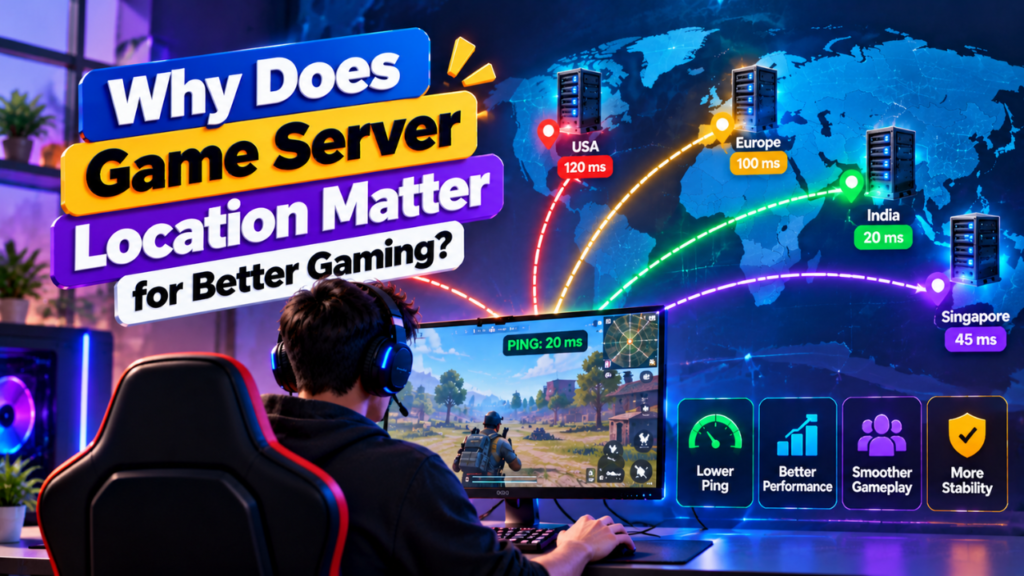
Game server location matters because the physical distance between players and the server can affect network latency, routing, and overall multiplayer experience.
When a player connects to a game server, data has to travel between their device and the server. A server that is geographically closer to most players will often provide a shorter network path and lower latency.
However, distance is not the only factor. Internet routing, network quality, congestion, peering, and the player’s ISP can also affect the connection.
That is why choosing a game server location should be based on where your players are located and how the network reaches them, not simply on the country name shown by a hosting provider.
How Does Game Server Location Affect Ping?
Ping measures the time it takes for network data to travel between a player’s device and the server and return.
Generally, a shorter network path can result in lower latency.
For example:
Player in India → India Server → Lower Latency
Player in India → Europe Server → Higher Latency
Player in India → North America Server → Usually Higher Latency
These are general patterns, not guaranteed results. Actual ping depends on the player’s ISP, routing, network congestion, and the specific data center.
Lower ping usually means the server can respond more quickly to network requests.
Why Does Distance Affect Game Server Latency?
Internet data does not travel instantly.
When a player performs an action, such as moving, shooting, or interacting with another player, information must travel between the game client and server.
A longer physical and network path can increase the time required for this communication.
The basic flow is:
Player → ISP → Internet Routes → Data Center → Game Server
The response then travels back:
Game Server → Data Center → Internet Routes → ISP → Player
The longer or more complicated this route becomes, the greater the potential for latency.
However, physical distance alone does not determine ping.
Does a Closer Game Server Always Mean Lower Ping?
No.
A nearby server can sometimes have a worse connection than a slightly farther server because internet traffic may follow different routes.
For example, two data centers could be geographically similar in distance, but one may have:
- Better ISP peering
- Better network capacity
- More direct routing
- Lower congestion
- Better connectivity to the player’s ISP
Therefore:
Shorter Distance ≠ Guaranteed Lower Ping
The actual network route matters just as much.
How Does Routing Affect Game Server Location?
Internet traffic can pass through multiple networks before reaching the game server.
A simplified route may look like:
Player → ISP → Transit Network → Data Center → Game Server
If the route is inefficient, traffic may travel through additional networks or locations before reaching the destination.
This can increase:
- Latency
- Packet loss
- Jitter
- Connection instability
Two servers in the same country can therefore produce different gaming experiences depending on how each network is connected.
How Does Game Server Location Affect Players?
Server location can affect several aspects of the multiplayer experience.
| Factor | Effect of Server Location |
| Ping | Can increase or decrease latency |
| Jitter | May vary with network routes |
| Packet Loss | Can occur on poor or congested routes |
| Responsiveness | Lower latency generally improves responsiveness |
| Stability | Better routing can provide a more consistent connection |
| Player Experience | Poor connectivity can cause delays and interruptions |
Location is therefore an important part of game server selection, but it should be evaluated alongside network quality.
Where Should You Place a Game Server?
The best location depends on where the majority of your players are located.
For example:
Mostly Indian Players
An Indian data center is usually a sensible starting point because most players are geographically closer to the server.
Possible locations can include major Indian data center regions, depending on what your hosting provider offers.
Mostly European Players
A European server location may provide a better overall experience for a player base concentrated across Europe.
Mostly US Players
A US data center can make more sense when most players are located in the United States.
Players From Multiple Regions
If your community is spread across several continents, choosing one server location becomes more difficult.
You may need to select a location that provides a reasonable compromise or use multiple regional servers.
Should You Choose a Server Near Most Players?
In most cases, yes.
If 80% of your players are located in one region, placing the server closer to that player base can make more sense than choosing a location based on your own physical location.
For example:
| Player Distribution | Logical Approach |
| Mostly India | Choose a suitable Indian location |
| Mostly Europe | Choose a suitable European location |
| Mostly North America | Choose a suitable North American location |
| India + Singapore | Test both regions |
| Global player base | Consider multiple regions |
The goal is to optimize the experience for the largest portion of your player base.
How Can You Test a Game Server Location?
Do not choose a location only from a hosting provider’s map.
Test the actual network connection before committing to a long term setup when possible.
You can compare:
- Average ping
- Minimum and maximum latency
- Packet loss
- Jitter
- Traceroute
- Routing path
- Connection stability
A simple test process is:
Test Location A → Record Results
Test Location B → Record Results
Test Location C → Record Results
Then compare the results from the regions where your players are located.
Testing from several player locations provides a more useful picture than testing from only your own connection.
What Is the Difference Between Ping, Jitter and Packet Loss?
Server location can influence all three, but they measure different things.
| Metric | Meaning |
| Ping | Network response time |
| Jitter | Variation in latency |
| Packet Loss | Data packets that fail to reach their destination |
For multiplayer gaming, consistently low ping is useful, but stability matters too.
A connection with slightly higher ping but stable latency may feel better than a connection with lower average ping and frequent spikes or packet loss.
Can Game Server Location Reduce Lag?
A suitable server location can help reduce network related latency, but it cannot solve every type of game server lag.
Lag can also come from:
- High CPU usage
- Insufficient RAM
- Poor server configuration
- Plugin or mod problems
- Tick rate issues
- Network congestion
- Packet loss
- Client side performance
Therefore, moving a server closer to players may improve network latency while leaving CPU related or software related problems unchanged.
Does Game Server Location Affect DDoS Protection?
It can.
Different data centers and hosting networks may use different DDoS protection systems, network architectures, and mitigation locations.
When choosing a server location, check:
- Whether DDoS protection is included
- Which traffic layers are protected
- Where mitigation occurs
- Network capacity
- Protected network infrastructure
- Provider response during attacks
A geographically close server is not automatically the best option if its network protection is significantly weaker.
Does Server Location Affect Game Server Performance?
Server location mainly affects network performance, not the raw computing power of the server.
For example, two servers with identical CPUs and RAM can have different player experiences because their network routes differ.
The server’s hardware affects:
- CPU processing
- RAM capacity
- Game tick performance
- Storage operations
- Number of players supported
The location and network affect factors such as:
- Latency
- Routing
- Packet loss
- Jitter
- Connectivity
For the best experience, both computing resources and network quality matter.
Can One Game Server Work Well for Global Players?
It can, but the experience may vary significantly between regions.
Suppose a server is hosted in Europe and has players from:
- Europe
- India
- Singapore
- Australia
- North America
European players may have relatively low latency, while players farther away could experience higher latency.
For a global community, you can consider:
- Multiple regional servers
- Region based matchmaking
- Separate game instances
- Regional communities
- A location that provides a reasonable compromise
The right approach depends on the game and player distribution.
What Should You Check Before Choosing a Game Server Location?
Use this checklist before selecting a location:
- Where most players are located
- Expected player distribution
- Average ping from target regions
- Network routing
- Packet loss
- Jitter
- Data center network quality
- DDoS protection
- Available hardware
- Provider support
- Upgrade options
- Pricing
Do not choose a location based only on the lowest hosting price.
FAQs
Why does game server location matter?
Game server location matters because it can affect network latency, routing, packet loss, and overall connection stability between players and the server.
Is a closer game server always better?
No. A closer server can still have poor routing or network congestion. Network quality and routing are also important.
What is the best game server location?
The best location is usually one that provides a reliable, low latency connection for the largest portion of your player base.
Does server location affect ping?
Yes. Physical distance and network routing can influence latency, although the actual ping also depends on the player’s ISP and network conditions.
Can changing server location reduce game lag?
It can reduce network related latency, but it will not automatically fix CPU, RAM, software, configuration, or other server side performance problems.
Should I choose a server near my players?
Yes. If most of your players are concentrated in a particular region, hosting closer to that player base is generally a good starting point.
Can players from different countries use the same game server?
Yes. Players from different countries can connect to the same server, but players farther from the server may experience higher latency.
How can I test a game server location?
You can test candidate locations using ping, traceroute, packet loss tests, and actual game connections from the regions where your players are located.
Conclusion
Game server location matters because it can influence latency, routing, jitter, packet loss, and connection stability. A server located closer to most players will often provide a better network path, but geographical distance is not the only factor.
Before choosing a location, test the actual network connection from your target player regions. Compare ping, packet loss, routing, and stability instead of relying only on a provider’s location list.
For a regional player base, one well connected server may be enough. For a global community, multiple regional servers may provide a better experience.
The best game server location is ultimately the one that offers reliable network connectivity and low, stable latency for your players.