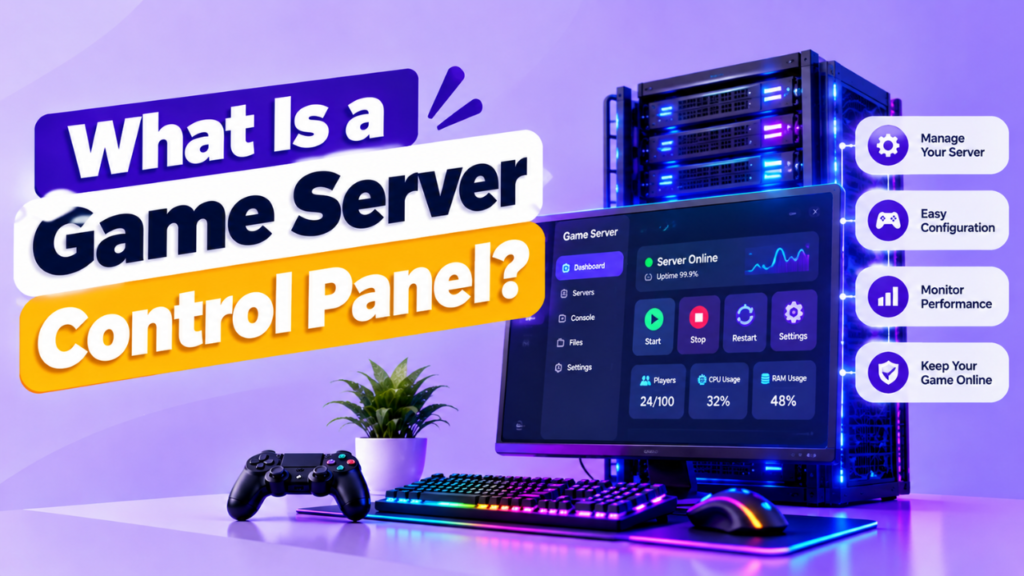
Managing a game server through commands, configuration files, and manual server restarts can become difficult as your server grows.
A game server control panel gives you a web based interface where you can manage common server tasks from one place. Instead of handling everything through a command line, you can use buttons, menus, settings, file managers, and monitoring tools.
This makes tasks such as starting the server, changing settings, managing players, installing plugins, checking resources, and viewing logs much easier.
In this guide, you will learn what a game server control panel is, what it can do, which features matter, and whether you actually need one.
What Is a Game Server Control Panel?
A game server control panel is a web based management interface used to control and monitor a game server.
It connects the server’s management functions to an easier graphical interface. You can usually access it through a browser instead of running every command manually.
Depending on the software and hosting provider, a control panel may let you:
- Start and stop the server
- Restart the server
- Change server settings
- Manage files
- Install game versions
- Add plugins and mods
- View server logs
- Manage players
- Create backups
- Monitor CPU and RAM
- Configure scheduled tasks
- Manage multiple servers
The exact features depend on the control panel.
A hosting provider may also customize the interface or disable certain functions based on the hosting plan.
What Can You Do With a Game Server Control Panel?
A control panel brings many common management tasks into one interface.
Start, Stop and Restart the Server
You can usually control the server’s basic power state from the dashboard.
Instead of connecting through SSH or another remote management method, you can click the appropriate option in the panel.
Common controls include:
Start → Stop → Restart → Kill
The exact options vary between panels.
Manage Server Settings
Many panels provide fields for common configuration options.
Depending on the game, you may be able to change:
- Server name
- Player slots
- Difficulty
- Game mode
- Map
- Server visibility
- Gameplay settings
- Startup parameters
For advanced settings, you may still need to edit configuration files directly.
Manage Files
A file manager allows you to access important server files through the browser.
You may be able to:
- Upload files
- Download files
- Create folders
- Edit configuration files
- Delete files
- Rename files
This can be useful when you need to make quick changes without opening an SSH session.
View Server Logs
Logs help you understand what is happening inside the server.
A control panel may allow you to view:
- Console output
- Error messages
- Player connections
- Server events
- Plugin errors
- Startup information
Logs are particularly useful when troubleshooting crashes, plugin conflicts, or configuration problems.
How Does a Game Server Control Panel Work?
The control panel usually sits between you and the server’s management system.
A simplified setup looks like this:
You → Web Browser → Control Panel → Game Server
You log in through the web interface.
The panel then sends management commands or configuration changes to the server according to the permissions and features available to you.
For example:
Click Restart → Panel sends restart command → Server shuts down → Server starts again
The control panel does not replace the game server itself. It provides a convenient way to manage it.
What Features Should a Game Server Control Panel Have?
Not every panel provides the same tools.
When choosing hosting, look for features that match how you manage your server.
| Feature | Why It Matters |
| Server Console | Run commands and view output |
| File Manager | Manage server files |
| One Click Restart | Quickly restart the server |
| Logs | Troubleshoot problems |
| Backups | Protect game data |
| Resource Monitoring | Check CPU, RAM and storage |
| Plugin/Mod Management | Simplify customization |
| Scheduled Tasks | Automate regular actions |
| User Permissions | Control administrator access |
| Multi Server Support | Manage multiple servers |
Server Console
A web based console lets you view live server output and run supported commands.
This is particularly useful when the game requires administrative commands for player management or configuration.
File Manager
A file manager is useful for quick configuration changes and uploading server files.
However, it should not be treated as a replacement for proper backups.
Resource Monitoring
Good panels can display resource usage such as:
- CPU
- RAM
- Storage
- Network traffic
This helps you identify resource bottlenecks before they become major problems.
Backup Management
A control panel may allow you to create, download, restore, or schedule backups.
Check whether backups are stored on separate infrastructure because a backup stored only on the same server may not protect you from every type of failure.
Which Games Use Control Panels?
Game server control panels are used across many types of multiplayer games.
Examples include:
| Game | Common Management Tasks |
| Minecraft | Worlds, plugins, mods, server settings |
| Rust | Server configuration, players, plugins |
| ARK: Survival Evolved | Maps, mods, settings, backups |
| Valheim | World and server configuration |
| Palworld | Server settings, saves, configuration |
| FiveM | Resources, configuration, server management |
The exact features available depend on the game and control panel.
Game Server Control Panel vs Command Line
Both approaches can manage a server, but they are suited to different users and tasks.
| Control Panel | Command Line |
| Graphical interface | Text based interface |
| Easier for beginners | Better for experienced admins |
| Common tasks are simpler | More direct server control |
| File management is easier | Powerful automation options |
| Less command knowledge required | Requires command line knowledge |
| Good for routine management | Better for advanced administration |
A control panel doesn’t eliminate the need for command line access in every environment.
Advanced administrators may still use SSH or other management tools for automation, troubleshooting, and tasks that the panel does not support.
Are Game Server Control Panels Secure?
A control panel can simplify server management, but it also becomes another service that needs to be secured.
Use basic security practices such as:
- Strong unique password
- Two factor authentication where available
- HTTPS
- Updated control panel software
- Restricted administrator access
- Secure hosting account
- Regular backups
- Limited user permissions
Don’t share your main administrator credentials with players or moderators.
If the panel supports different permission levels, give each user only the access they actually need.
Do You Need a Game Server Control Panel?
You don’t strictly need one.
A technically experienced administrator can manage a game server through SSH, command line tools, configuration files, and other management methods.
However, a control panel can save time if you frequently perform routine tasks.
A panel is especially useful when you:
- Are new to server administration
- Manage a public game server
- Frequently restart your server
- Install plugins or mods
- Manage multiple servers
- Need an easy file manager
- Want simple resource monitoring
- Share management responsibilities with a team
For a small private server, command line management may be enough if you’re comfortable with it.
Free vs Paid Game Server Control Panels
Control panels can be free, open source, paid, or included with hosting.
| Type | Best For |
| Free/Open Source | Self managed servers |
| Paid Panel | Advanced management and support |
| Hosting Provided Panel | Beginners and managed hosting |
| Custom Panel | Providers with specific requirements |
The important thing is not simply whether the panel is free.
Look at its features, security, compatibility, update frequency, documentation, and support.
How to Choose a Game Server Control Panel
Before choosing a panel or hosting provider, check:
Game Compatibility
Make sure the panel supports the game and server software you plan to run.
Ease of Use
The interface should make common tasks easier rather than adding unnecessary complexity.
File and Console Access
A useful panel should give you enough access to manage your server without constantly switching between tools.
Backup Features
Check whether backups can be scheduled and whether they can be stored separately from the main server.
Resource Monitoring
CPU, RAM, storage, and network monitoring can help you understand server performance.
User Permissions
If multiple people manage the server, role based permissions can help prevent accidental or unauthorized changes.
Security
Look for HTTPS, secure authentication, 2FA where available, regular updates, and a good security track record.
FAQs
What is a game server control panel?
It is a web based interface that lets you manage a game server without relying entirely on command line tools.
Can I manage a game server without a control panel?
Yes. You can manage many servers using SSH, command line tools, configuration files, and other administration methods.
Is a game server control panel necessary?
No. It is optional, but it can make routine server management much easier, especially for beginners and multi server administrators.
Can a control panel install game server mods?
Some panels provide plugin or mod management features, while others require you to upload and configure them manually.
Can a game server control panel manage multiple servers?
Some control panels support multiple servers or instances. Check the panel’s specific capabilities and licensing requirements.
Does a control panel improve game server performance?
Not directly. It makes management easier and may provide monitoring tools, but the server’s actual performance depends on hardware, software, configuration, network quality, and player workload.
Is a game server control panel safe?
It can be secure when properly configured and maintained. Use strong authentication, HTTPS, updates, restricted permissions, and other basic security practices.
Conclusion
A game server control panel gives you a simpler way to manage your server through a web browser.
Instead of handling every task manually, you can use one interface to control the server, manage files, view logs, monitor resources, create backups, and change supported settings.
You don’t need a control panel to run a game server, but it can save considerable time if you regularly manage a public server, install plugins, troubleshoot issues, or operate multiple game instances.
When choosing one, focus on game compatibility, ease of use, security, backups, monitoring, permissions, and the management features you actually need.
Pingback: Why Does Game Server Location Matter?